CHARLOTTE — If your phone, TV, or computer has been acting glitchy lately, Consumer Reports says you may not need to replace it just yet. Sometimes, a little routine maintenance can solve common tech problems and help your devices run more smoothly.
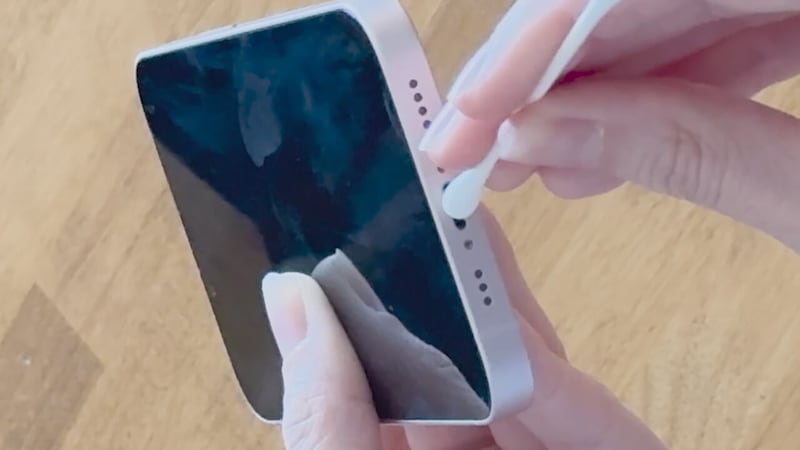
Consumer Reports says dirt and debris are often the hidden culprits behind everyday issues. Dust buildup can interfere with performance, especially on devices you use constantly, like your phone. According to CR home expert Courtney Lindwall, debris in a phone’s charging port or speaker can affect both sound quality and charging performance, making the device seem faulty when it may just need a careful cleaning.
The key is using the right tools. Lindwall says to avoid sharp objects like paper clips or tweezers, which can damage delicate components. Instead, gentler tools such as cotton swabs or soft makeup brushes can help remove dust and grime without causing harm.
Screens need special care, too. Whether it’s a laptop, desktop monitor, or TV, Consumer Reports says skipping harsh materials is important. Nicholas De Leon of Consumer Reports warns against using paper towels, which can scratch screens, and household cleaners like Windex, which may damage protective coatings. A microfiber cloth is the safest choice for routine cleaning, and for tougher smudges, wipes made for eyeglasses can be a safer alternative.
For laptops and desktop keyboards, crumbs can also create problems. Eating over your computer may seem harmless, but food particles can slip under the keys and interfere with typing. De Leon says that depending on the device, crumbs under the keyboard can make it difficult or even impossible to type properly. In some cases, compressed air may help dislodge debris, though it’s best to follow the manufacturer’s guidance for your specific device.
Before cleaning any gadget, Consumer Reports recommends powering it down and unplugging it first. It’s also a good idea to check the owner’s manual for any brand-specific instructions, since cleaning recommendations can vary by device.
And for anyone who would rather leave it to the pros, tech repair shops such as the Apple Store, Best Buy, and uBreakiFix may offer device-cleaning services.
©2026 Cox Media Group
/cloudfront-us-east-1.images.arcpublishing.com/cmg/LH3JSJEF3VBLRJLJQESEAG34AM.png)